No server · No subscription · No account
Everything the paid asset tools do, without the monthly bill
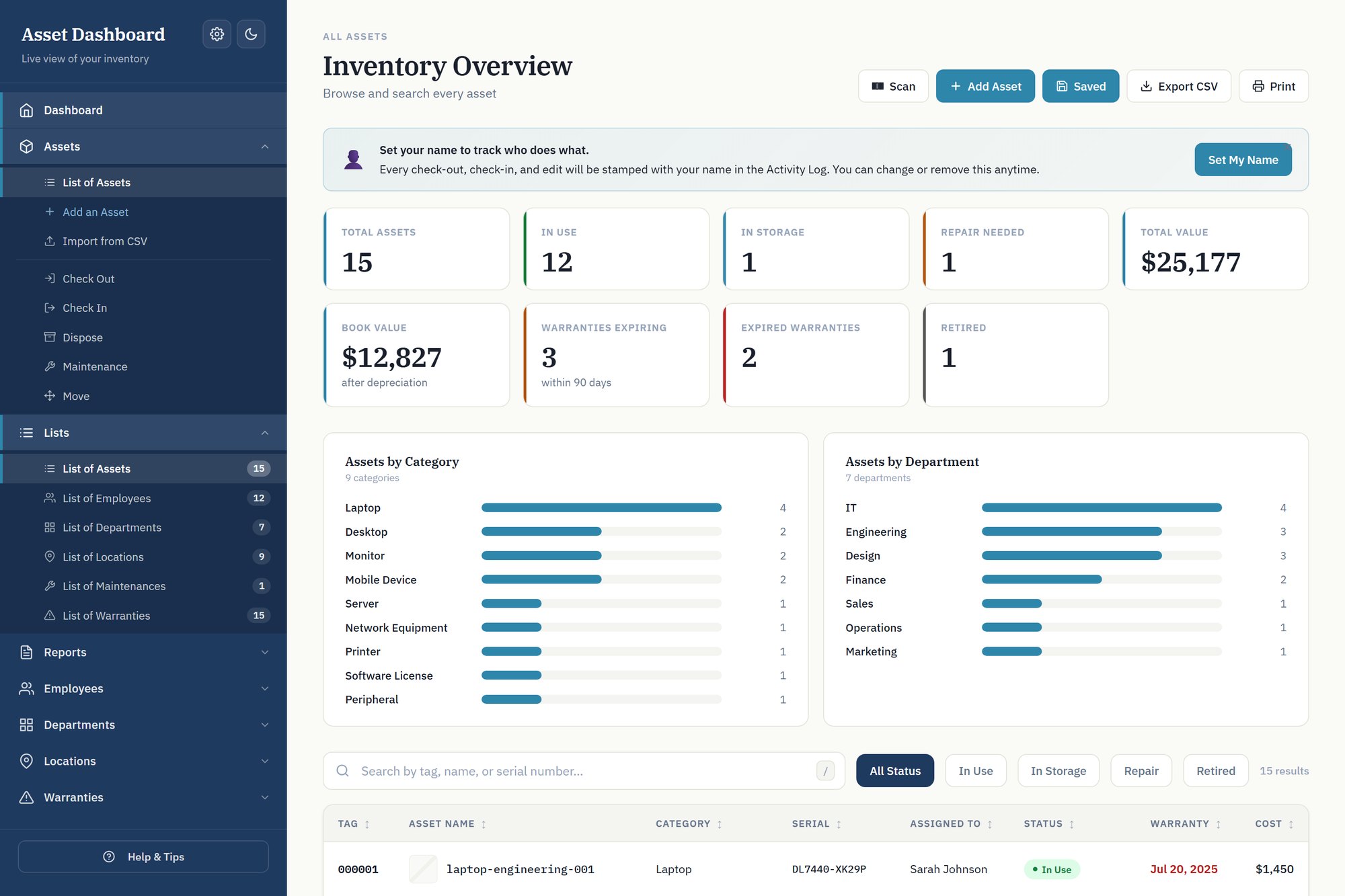
Know who has what, where it is, and what it is worth. It runs on an Excel file on your own machine — no server to stand up, no account, and nothing billed per asset or per user.
Try the live demo → See the trackers
The demo is the real dashboard with example data in it. No signup, no email, nothing to install — it opens in this browser.
The trackers
Pick the one that matches what you manage
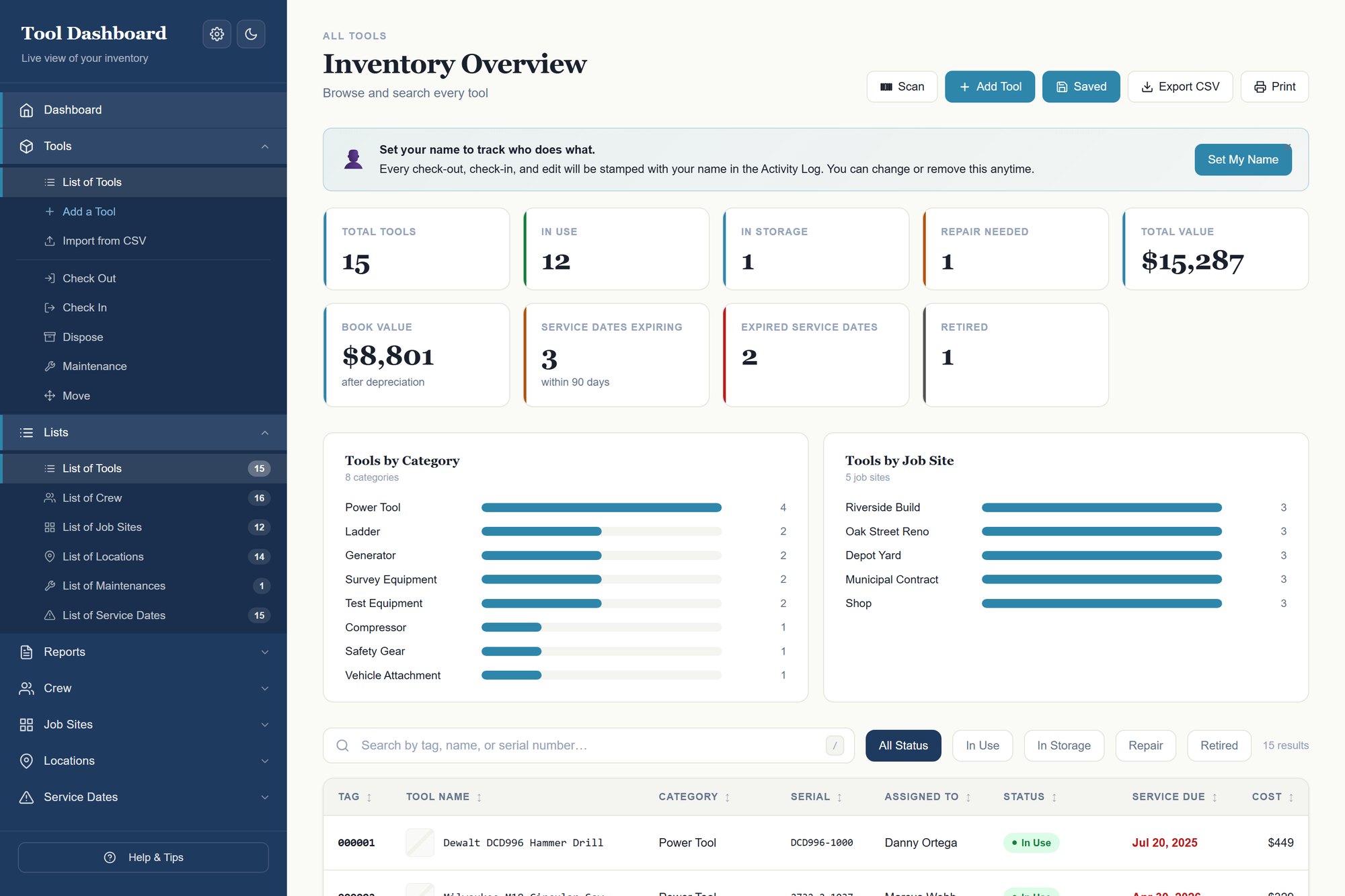
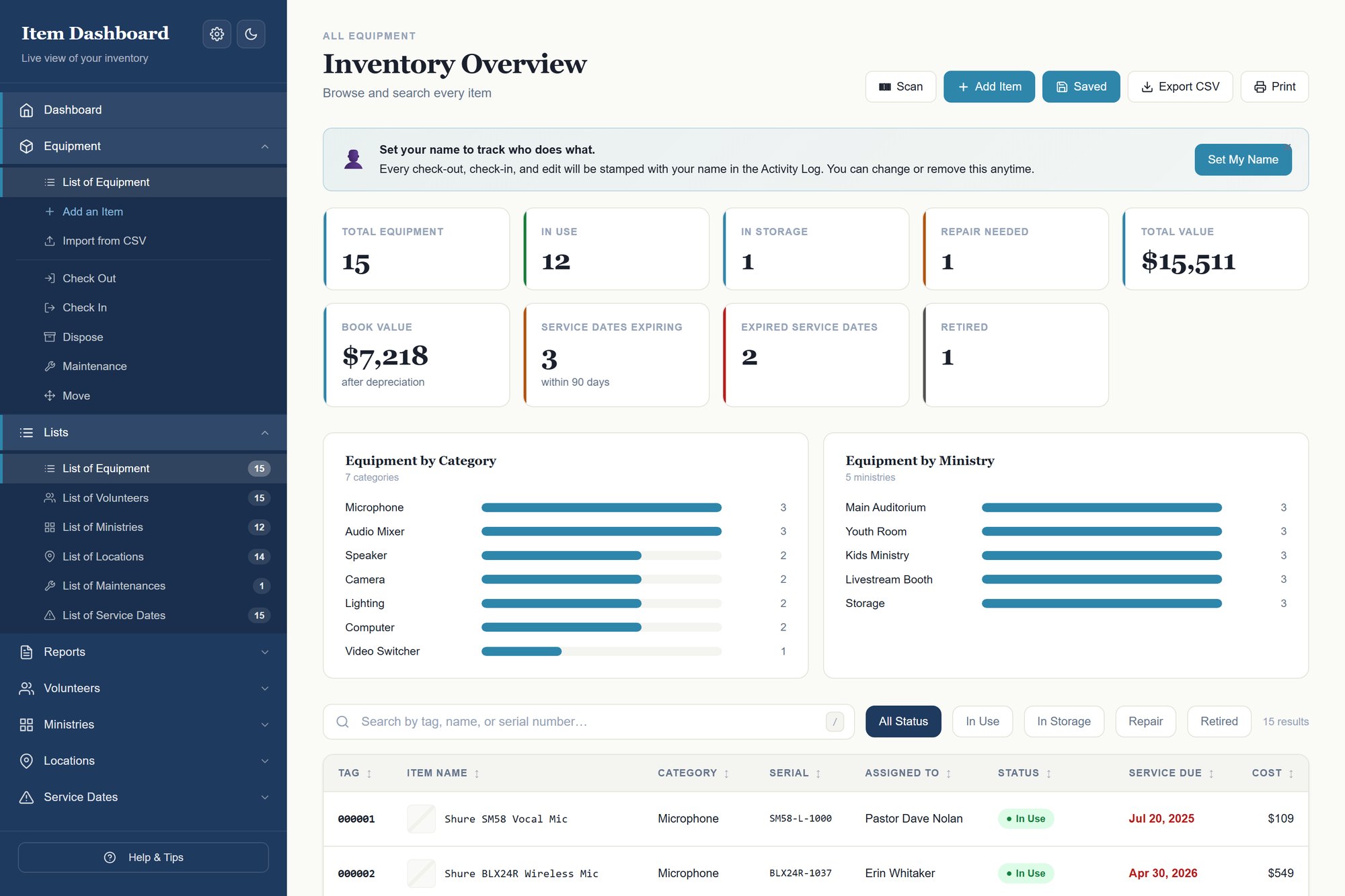
All three are the same dashboard with the vocabulary changed to suit what you track — assets and employees, tools and crew, equipment and volunteers. Same price, so just take the one whose words match yours.
Also from Sheet Trackers
Not tracking equipment? Track the work instead
The three above all track things. This one tracks work — clients, projects, invoices and what a job actually made. It is a different tool for a different job, not a cheaper version of the trackers.
Client & Project Tracker
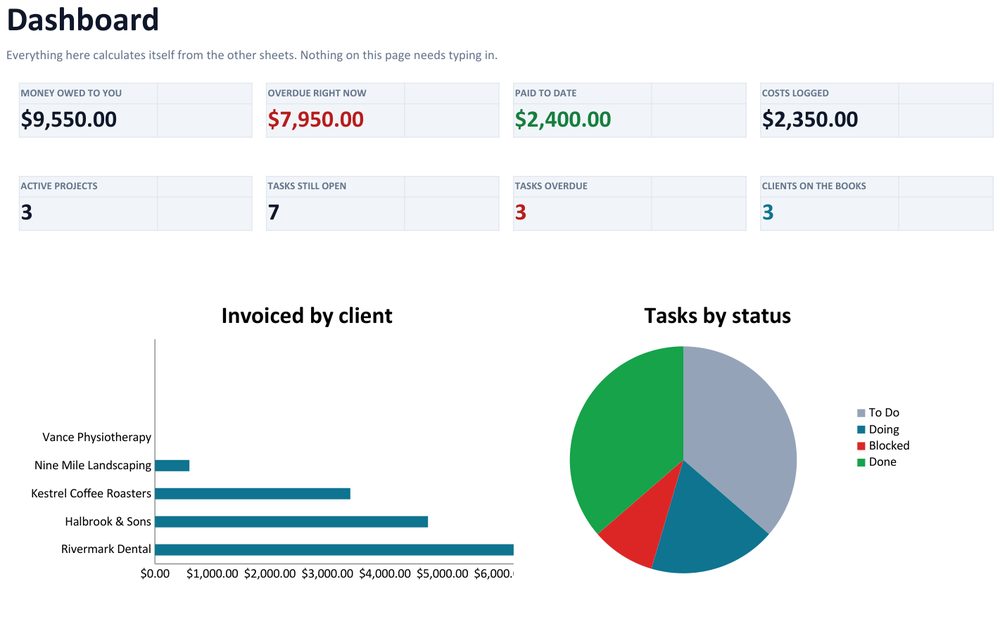
Everything you are working on and everyone who owes you money, in one Excel file. Clients, projects, tasks, invoices, leads, expenses, a six-month timeline and a quote builder — with a dashboard that fills itself in.
$24 once
See it →
Why a spreadsheet
The trade every other tool asks you to make
Asset software is either free but needs a server you have to run, or easy but bills you forever. These sit in the gap: a spreadsheet you already know how to open, with the dashboard and reporting built properly on top.
Buy it once
One payment. No renewal, no seat count, no price rise. Updates are free.
Nothing to install
An .xlsx and an HTML file. Open the dashboard in your browser and it reads the spreadsheet.
Works offline
Zero network requests. Fine on a locked-down or air-gapped machine.
Your data stays yours
It lives in your file, on your disk. No cloud, no account, no telemetry.
Scan a barcode
Point a $25 USB scanner at a tag and the item opens — on any machine. Keep scanning and it steps through them one after another.
Guides
How to do this properly, whether or not you buy anything
Everything these trackers do can be built by hand. These explain how — and say plainly where a spreadsheet stops being the right answer.
Asset Panda Alternatives With Pricing You Can Actually See
Asset Panda does not publish pricing - every evaluation starts with a sales call. What that costs a small buyer, when Asset Panda is genuinely the right answer, and what is left for the business that is too small for procurement and too serious for a free template.
Asset Tags and Barcodes: What to Buy and How to Label
How to number and label equipment so it stays trackable - why the asset tag is not the serial number, which labels survive, Code 128 versus QR, and two ways to scan without buying a system.
Cheqroom Alternatives for Small Teams and Churches (Honest Comparison)
Cheqroom is the best-known equipment checkout tool and it is genuinely good. But it charges per admin seat, annually. What it asks of you, when it is worth it, and where a one-time file fits for a church A/V team, a school or a small crew.
A Church Equipment Sign-Out System That Survives a Rotating Team
Why the clipboard by the sound desk always fails, and how to track church A/V and equipment in a spreadsheet that volunteers will actually use - plus when you should buy software instead.
EZOfficeInventory Alternatives Without a Monthly Bill (Honest Comparison)
EZOfficeInventory now meters item count with unlimited users on every tier - checked September 2026, and the opposite of what most comparisons still say. What that subscription actually asks of you, when to buy it anyway, and where a one-time purchase fits.
GoCodes Alternatives for Tracking Tools on Job Sites (Honest Comparison)
GoCodes meters assets and user logins together on an annual plan. What it asks of you, when its rugged tags and scan locations are worth paying for, the custody-vs-location question nobody asks first, and where a one-time file fits.
IT Asset Tracking on an Air-Gapped Network
The options that actually work when nothing can reach the internet: self-hosted Snipe-IT or GLPI, a file, or paper. What each costs in practice, and why patching is the part people underestimate.
Reftab Alternatives When You Outgrow the Free Tier
Reftab's free plan is genuinely free, and it is metered on asset count - cross it and the cost is a step, not a slope. When Reftab is the better buy (including when it is free), and where a one-time file fits for the business that just crossed the line.
ShareMyToolbox Alternatives That Do Not Charge Per Person
ShareMyToolbox gives you unlimited tools and charges per person, in blocks - the opposite of most trackers. What that means for a crew that grows, when its borrow-and-accept flow is worth paying for, and where a one-time file fits.
Shelf Alternatives Without a Per-Workspace Subscription
Shelf's free plan gives unlimited assets and exactly one user - what pushes you to paid is a colleague, not growth. When its bookings feature is worth paying for, when the free tier beats buying anything, and where a one-time file fits.
Snipe-IT and AssetTiger Alternatives for Small Teams (Honest Comparison)
I have used Snipe-IT, GLPI, AssetTiger, EZOfficeInventory and Reftab across twenty years of corporate IT. What each one actually asks of you, the two questions that decide which you need, and where a one-time spreadsheet tool fits.
Sortly Alternatives Without a Renewing Subscription (Honest Comparison)
Sortly meters both item count and user licences, and its headline prices are first-year introductory rates. What it asks of you, when it is the right answer, the inventory-vs-asset distinction nobody names, and where a one-time file fits.
How to Set Up a Tool Checkout System
A practical guide to building a tool checkout system in a spreadsheet - what the sign-out sheet has to record, how to make returns actually happen, and when you genuinely need software instead.
How to Track IT Assets in a Small Business (Without ITAM Software)
A practical guide to keeping an IT asset register in a spreadsheet - what to record, how to make offboarding a query instead of a memory test, and when asset management software is genuinely worth buying.
How to Track Tools Across Job Sites Without an App
A practical guide to keeping track of tools across multiple job sites using a spreadsheet - what to record, how to make check-out stick, and when a spreadsheet is genuinely the wrong tool.
Who makes this
Twenty years of using these tools, then building one
I have spent over twenty years doing IT in the corporate world, and in that time I worked with a lot of different asset management tools. Every one of them was missing something, or never quite felt complete — and all of them charged for it. A monthly or yearly subscription, sometimes a fee per asset, sometimes a licence for every admin who needed to log in.
So I took the best parts of the ones I had used and put them in one place, with no subscription, nothing counted per asset and no seats to buy. It started as the IT version because that is the work I know. A contractor calls the same problem tools and a church calls it equipment, so those versions exist too.
There is no support desk here. When you email, you reach the person who built it — and who spent two decades on the other side of these tools. When something is broken I fix it, and everyone who bought it gets the update free, forever.
Questions or feedback
Ask before you buy — or tell me what is missing
If you are not sure whether one of these fits what you manage, ask. I would rather talk you out of a purchase than take $149 for the wrong thing.
Already bought one and something is annoying you? Tell me. Nearly every feature in these started as somebody’s complaint.